
Download Visual Inte – business accounting, invoicing software, financial management tool, tax compliance, inventory tracking, business productivity, real-time accounting, small business solutions
Overview
Visual Inte is a comprehensive mobile application suite designed to support small and medium-sized businesses with essential accounting, invoicing, and operational management functions. The app addresses common challenges in financial tracking, tax compliance, and inventory control by offering a modular system of tools tailored for real-time business oversight. Its primary purpose is to streamline core financial operations, allowing users to manage income, expenses, and client transactions with greater accuracy and efficiency. The suite is particularly useful for entrepreneurs, freelancers, and small business owners who require reliable digital tools without the complexity of enterprise-level software.
Key components include Visual Conta for real-time financial management, Visual Factu for invoicing and inventory tracking, Visual Calc for on-the-go calculations, and Visual Util for database maintenance. These applications work together to create a cohesive ecosystem that supports daily business workflows. The suite’s focus on official templates for VAT and tax reporting enhances its value for users operating in regulated markets. Although the developer did not provide additional technical details about the underlying architecture or data encryption, the app has been available since 2007, indicating a long-standing presence in the business productivity space.
Real-world use cases include managing client invoices, tracking inventory levels, preparing tax documentation, and monitoring cash flow. The app is especially relevant in regions where small businesses rely on accessible, localized accounting tools. Given its free pricing model and Android platform availability, Visual Inte remains a viable option for users seeking low-cost digital solutions to manage their financial operations.
Key Features & Functionality
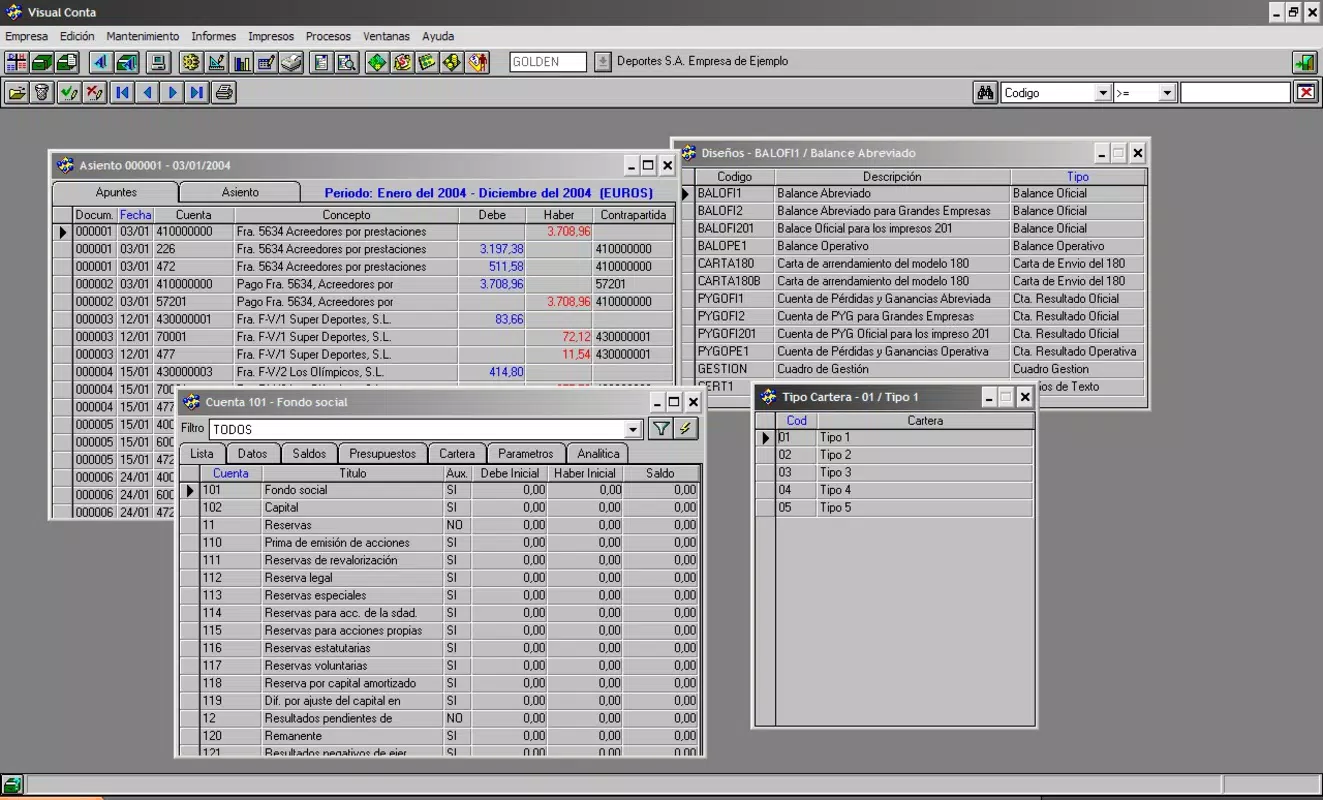
- Real-time Financial Management (Visual Conta): This module enables continuous tracking of financial transactions, allowing users to monitor profitability and cash flow as events occur. It supports official VAT and tax templates, reducing the risk of compliance errors during reporting cycles.
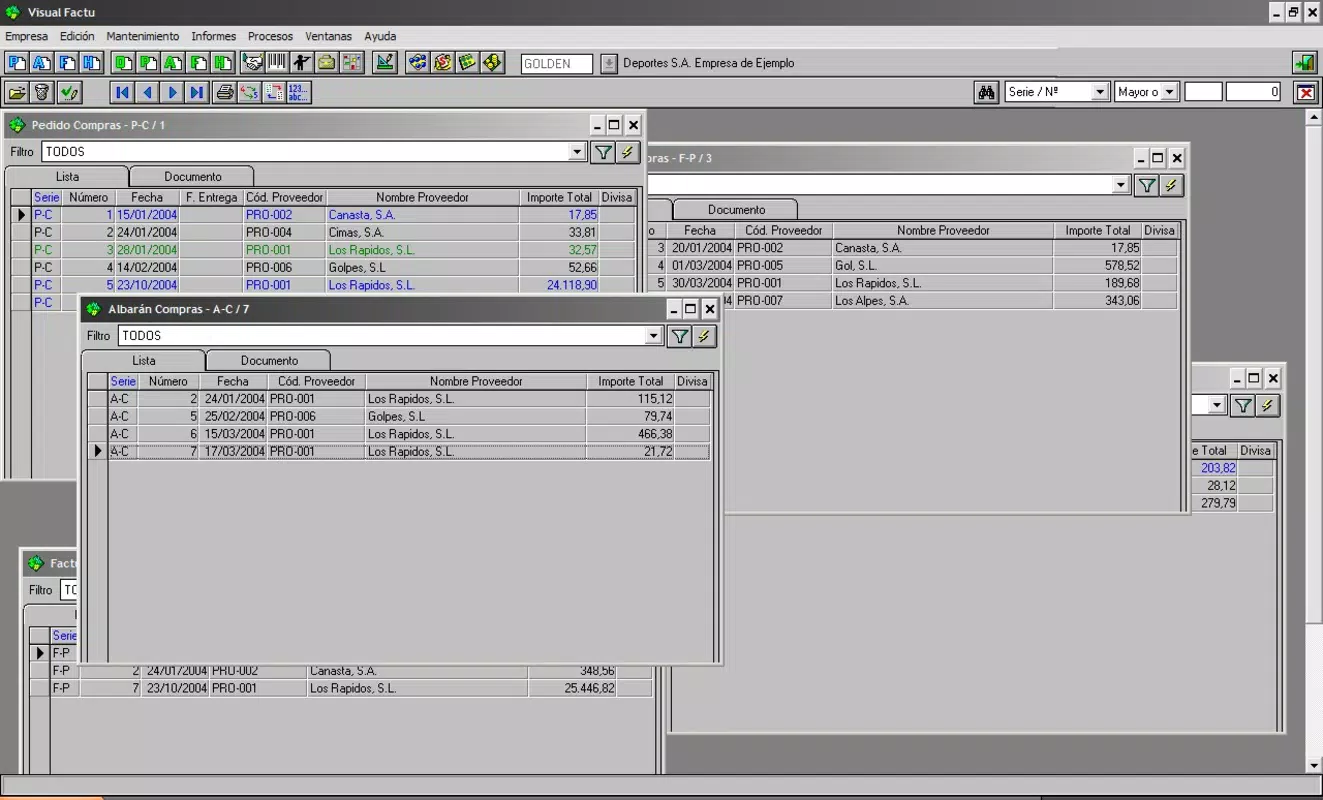
- Visual Invoicing & Inventory System (Visual Factu): Designed for ease of use, this feature allows users to generate invoices, record sales, and manage product stock levels. It supports order creation and client data storage, helping businesses maintain organized customer relationships.
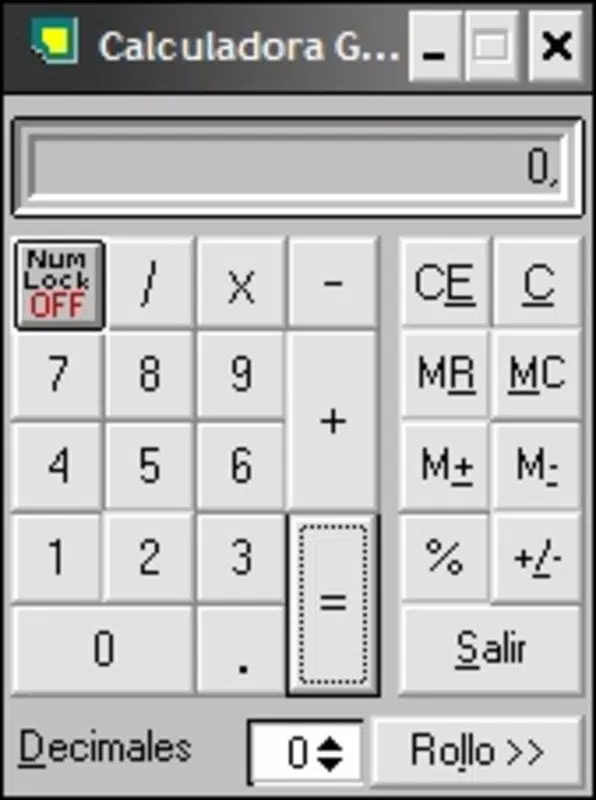
- Quick Calculation Tool (Visual Calc): A dedicated utility for performing instant financial calculations, such as profit margins, tax amounts, or percentage adjustments. This tool is ideal for use during meetings, client negotiations, or daily operations.
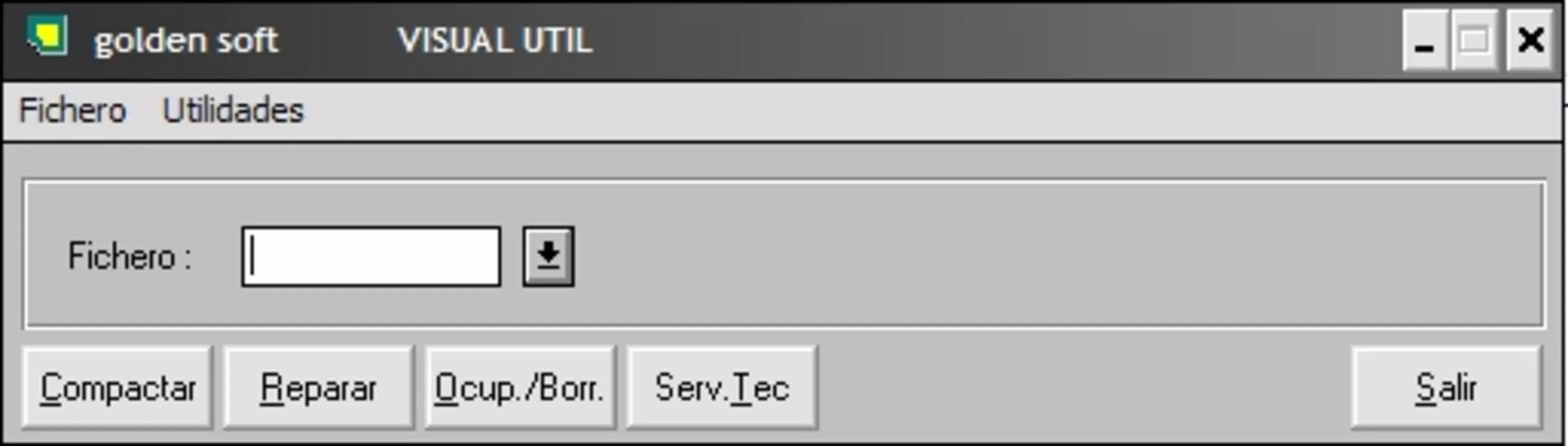
- Database Maintenance (Visual Util): This utility assists in compressing and repairing databases used by other components of the suite. It helps maintain optimal performance and reduces the likelihood of data corruption over time.
- Modular Integration: All applications within the suite are designed to work together, enabling seamless data flow between financial records, invoices, and inventory logs.
For example, a small retail business could use Visual Factu to create an invoice, which is automatically reflected in Visual Conta’s financial records. If a product is out of stock, Visual Util can help ensure the database remains stable during updates. Similarly, a freelance consultant can use Visual Calc to quickly determine billing rates and apply them to a client invoice via Visual Factu.
Interface, UX & Performance
The user interface of Visual Inte appears to be designed with functionality over aesthetics, prioritizing clarity and accessibility for business users. Navigation is likely structured around core modules—Visual Conta, Visual Factu, Visual Calc, and Visual Util—each accessible through a centralized menu or dashboard. The layout emphasizes straightforward workflows, minimizing the number of steps required to perform common tasks such as creating an invoice or recording a transaction.
Visual design elements suggest a utilitarian approach, with minimal graphical embellishments and a focus on readability. Text-based inputs, clear labels, and logical grouping of fields contribute to a user-friendly experience, especially for users with limited technical expertise. The app’s responsiveness on various Android devices is not formally documented, but its long-standing presence suggests it has been tested across a range of hardware configurations.
Although the developer did not list formal performance metrics, the app’s lightweight file size of 12.4 MB indicates efficient resource usage. This makes it suitable for older or low-memory Android devices. Stability is implied by its continued availability since 2007, though users should be aware that no recent updates have been reported. The lack of information on background processing, battery impact, or cloud sync capabilities means these aspects remain unverified.
Platform Compatibility & Technical Requirements
Visual Inte is available exclusively on the Android platform. The current version is 1.0.0, with a file size of 12.4 MB. The app is free to download and install, making it accessible to users across different economic backgrounds.
Specific requirements such as minimum Android OS version, screen resolution, or hardware specifications were not listed by the developer. As a result, compatibility with modern devices cannot be confirmed without further details. The developer did not specify whether the app supports Android 10, 11, or newer versions, nor whether it is optimized for tablets or foldable screens.
Users are advised to verify compatibility with their device before installation. Given the app’s release date in 2007, it may not support newer Android features such as biometric authentication, dynamic theming, or advanced permissions management. However, its continued availability suggests it remains functional on older systems.
Pros and Cons
Pros
- Free to download and use, reducing entry barriers for small businesses.
- Modular design allows users to focus on specific tools like invoicing or accounting.
- Real-time financial tracking supports timely decision-making.
- Includes built-in templates for VAT and tax compliance, aiding regulatory adherence.
- Lightweight file size (12.4 MB) ensures compatibility with low-end devices.
Cons
- Outdated release date (2007) raises concerns about modern security and compatibility.
- No information on recent updates or developer support.
- Missing details on OS version requirements and device optimization.
- Limited visibility into data encryption, backup, or cloud integration.
- Interface may appear dated compared to current Android design standards.
FAQ
Is Visual Inte safe to install on my Android device?
The app is available through official channels and has been in use since 2007. However, due to its age and lack of recent updates, users should ensure their device has up-to-date security patches before installation.
Can I use Visual Inte on iOS devices?
Currently, the app is only available for Android. There is no information on iOS compatibility or future plans for Apple platforms.
Does Visual Inte require an internet connection?
While the app may function offline for basic tasks like invoice creation and calculations, full functionality may depend on internet access for updates or data synchronization, though this is not confirmed.
How often is Visual Inte updated?
There is no public record of recent updates. The app’s last known version is 1.0.0, released in 2007. Users should expect minimal or no future updates.
Is my business data secure in Visual Inte?
The developer did not disclose details about data encryption, cloud storage, or backup procedures. Users should exercise caution and consider backing up their data externally.
Final Thoughts
Visual Inte presents a legacy solution for business accounting and invoicing, offering a functional suite of tools that remain relevant for users with basic financial management needs. While its age raises concerns about modern security standards and device compatibility, its free model and lightweight design make it accessible for users on older Android systems. The modular approach allows businesses to adopt only the tools they need, such as Visual Conta for financial tracking or Visual Factu for invoicing and inventory.
For small business owners, freelancers, or entrepreneurs operating in regions with limited access to modern accounting software, Visual Inte may serve as a practical alternative. Its ability to manage real-time transactions, support tax compliance, and maintain database integrity provides tangible value. However, users should be aware of the lack of recent updates and potential compatibility issues with newer devices.
Despite its limitations, the app’s enduring presence underscores its reliability for core business functions. If you’re seeking a no-cost, straightforward tool for managing invoices, finances, and inventory, Visual Inte remains a viable choice.
Download Visual Inte now


